
For multi-campus groups
Every campus in view, each in control
Group leadership gets one dashboard across campuses. Each campus keeps its own roles, settings and day-to-day work, and the group shares templates so standards stay consistent.
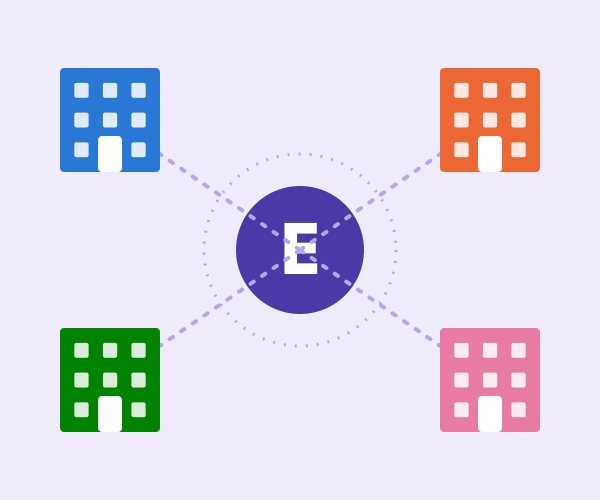 PHOTO SLOT · solutions-multi-campus-groups-hero
Live, in real time
Enrolment against target by campus
Sample data
A day in the product
What multi-campus groups see when they open Elvis ERP
One workspace, tuned to your role. Everything you need for the day is on the first screen, with the detail one click away.
- Your role, your view
- Live numbers
- Phone friendly
SCREENSHOT SLOT · solutions-multi-campus-groups-product
Challenges we solve
What groups struggle to standardise
Group-level reporting
Compare enrolment, fees and results across campuses in cross-campus dashboards with live insight, instead of merging spreadsheets.
Learn more
Campus-level roles
Give campus heads, registrars and finance staff access to their campus only, while group roles see across all of them.
Learn more
Shared templates
Publish fee and policy templates once and reuse them, so each new campus starts from the group standard.
Learn more
Mixed institution types
Run a school, a college and a language centre in the same group, each with its own terminology and workflows.
Learn more
Different countries and currencies
Support local currency, date formats and multi-language interfaces, with regional teams and payment methods [CONFIRM CURRENT LIST].
Learn more
Opening the next campus
Switch on a new campus with the group templates, roles and reports already in place.
Learn more
What you use
Modules that make a group work
Multi-campus and groups
Group-level reporting and campus-level roles and settings.
Reports and analytics
Cross-campus dashboards and live insight.
Fees and finance
Shared fee templates, reconciliation and ledger posting.
HR and payroll
Staff records across campuses and entities.
Inventory
Stock, purchase requests and assets across campuses.
Facility management
Rooms, bookings and maintenance across campuses.
Security and trust
Role-based permissions per role, campus and module.
Identity and productivity
Single sign-on with Microsoft 365 or Google Workspace.
Mixed groups
One group, several kinds of institution
Elvis ERP does not force a school and a training centre into the same mould. Each campus is configured for how it teaches, and the group layer sits on top.
- Terminology, workflows and fee structures per institution type.
- Group-level reporting that still makes sense across types.
- Shared policy and fee templates where standards should match.
- Campus settings where they should not.
A single group account
Sample data
Primary school
Secondary school
College
Language centre
Training arm on Elvis LMS
Online campus
Shared fee templates
Group dashboard
Campus roles
Rollout
Roll out campus by campus
You do not have to switch every campus on the same day. Start with one, prove the setup, then bring the rest across.
- Phased rollout by module or by campus.
- Data audited, cleaned, migrated and validated per campus.
- Group templates and roles reused for each new campus.
- Regional support teams in the campus timezone after go-live.
Group rollout plan
Sample data
- Done: Group templates and roles agreed
- Done: Pilot campus live
- To do: Campus two migrated and validated
- To do: Campus three training
- To do: Group dashboard signed off
Implementation
From pilot campus to the whole group
Phased rollout by module or by campus. Typical timeline: [TYPICAL TIMELINE].
01
Discover and audit
We review your group structure, each campus data source and the reports leadership needs.
02
Migrate and configure
Set group templates and roles first, then migrate and validate campus data.
03
Train your team
Workshops for campus administrators, finance and group staff, in their language.
04
Go live and grow
Go live campus by campus and add modules as each team is ready.
FAQ
Questions from group leaders
Can each campus have its own settings?
Yes. Campus-level roles and settings sit under group-level reporting, so each campus controls its day-to-day setup within the standards the group sets.
Can we mix schools, colleges and training centres?
Yes. Elvis ERP is designed for groups that mix institution types, with terminology and workflows adapted for each.
Can group leaders see everything?
Only what their role permits. Permissions are role-based for every role, campus and module, and audit trails show who changed what and when on sensitive records.
Can we operate in more than one country?
Elvis ERP supports local currency, date formats and multi-language interfaces. Local payment methods are configured per region [CONFIRM CURRENT LIST].
How do we onboard a newly acquired campus?
We audit its data, migrate and validate it, apply your group templates and train the team, then add it to group reporting.
Keep exploring
All solutions
Every institution type, role and need in one place.
Leadership and management
What group and campus leaders see each morning.
Schools
For school campuses.
Higher education
For college and university campuses.
Stay audit and compliance ready
Audit trails and records across the group.
Replace spreadsheets and legacy systems
Consolidate spreadsheets from every campus.
See Elvis ERP on your own data
Book a walkthrough with a specialist who works with institutions like yours.